Fusing Character Creator: FiveM Character Creator
$20.00 · FiveM Scripts · Documentation
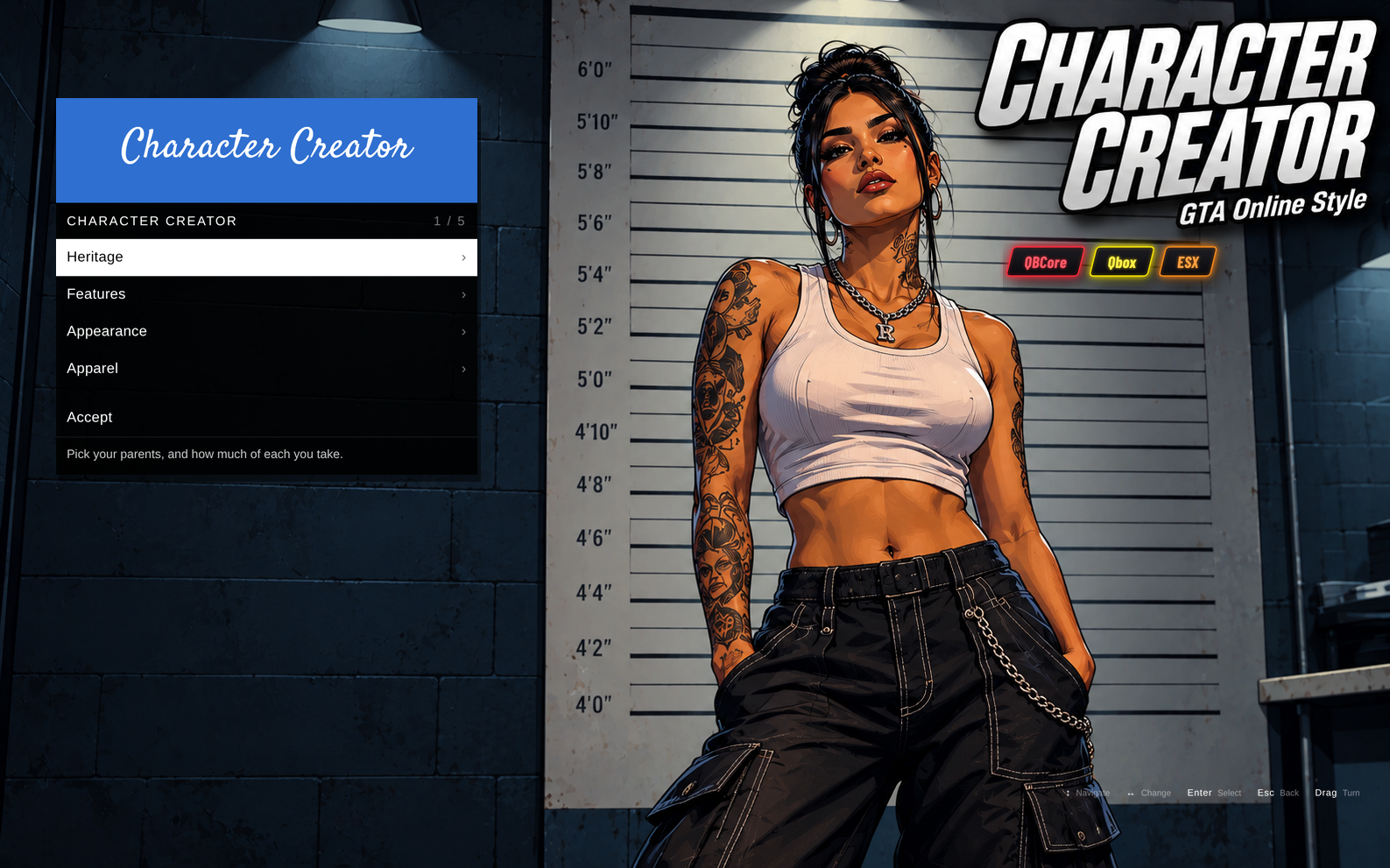
Fusing Character Creator
The GTA Online character creator, rebuilt for FiveM. New characters walk into the police booking room and are made the same way as in GTA Online. Works on QBCore, Qbox and ESX.
Just Like GTA Online
- Opens automatically for every new character
- Staged in the GTA Online booking room, with a walk-in animation and cinematic cameras
- The familiar menu style, with four stages from start to finish
Four Stages
- Heritage: pick a father and mother from GTA Online's parents (including the hidden ones), with portraits, then blend their looks and skin tone
- Features: 20 face sliders covering the nose, brows, cheeks, eyes, lips, jaw, chin and neck
- Appearance: hair with colour and highlights, eye colour, and 12 layers including eyebrows, beard, chest hair, makeup, blush, lipstick, blemishes, freckles and ageing
- Apparel: a starting outfit and props such as hats and glasses. Offer every garment in the game (add-on clothing packs included), or only a list you choose
Works With Your Clothing System
- QBCore: qb-clothing, illenium-appearance or fivem-appearance
- Qbox: illenium-appearance or fivem-appearance
- ESX: replaces esx_skin and works with skinchanger or illenium-appearance, and ESX clothing shops keep working
- The finished look saves into your existing clothing system, so clothing shops start from it, and it survives relogs and server restarts
- Answers to the qb-clothing name, so resources that need qb-clothing (such as qb-apartments) still start
Built Properly
- Keyboard and mouse or controller, and drag to turn the character
- Looks are checked on the server before they're saved
- An export lets other scripts open it, for example a plastic surgeon, from the current face or a blank one
- Simple setup: one small edit in qb-clothing or illenium-appearance on QBCore and Qbox (not needed with fusing-multicharacter), or remove esx_skin on ESX
- Easy to configure in
config.lua: the framework is detected automatically, and you choose what clothing it offers
Requirements
- oxmysql
- QBCore, Qbox or ESX
- On ESX: skinchanger or illenium-appearance